Everything LevelRated does
129 features in 9 areas, each explained in plain words with what it costs. LevelRated covers every trade. Contractors never pay to list, get verified or rank.
For everyone
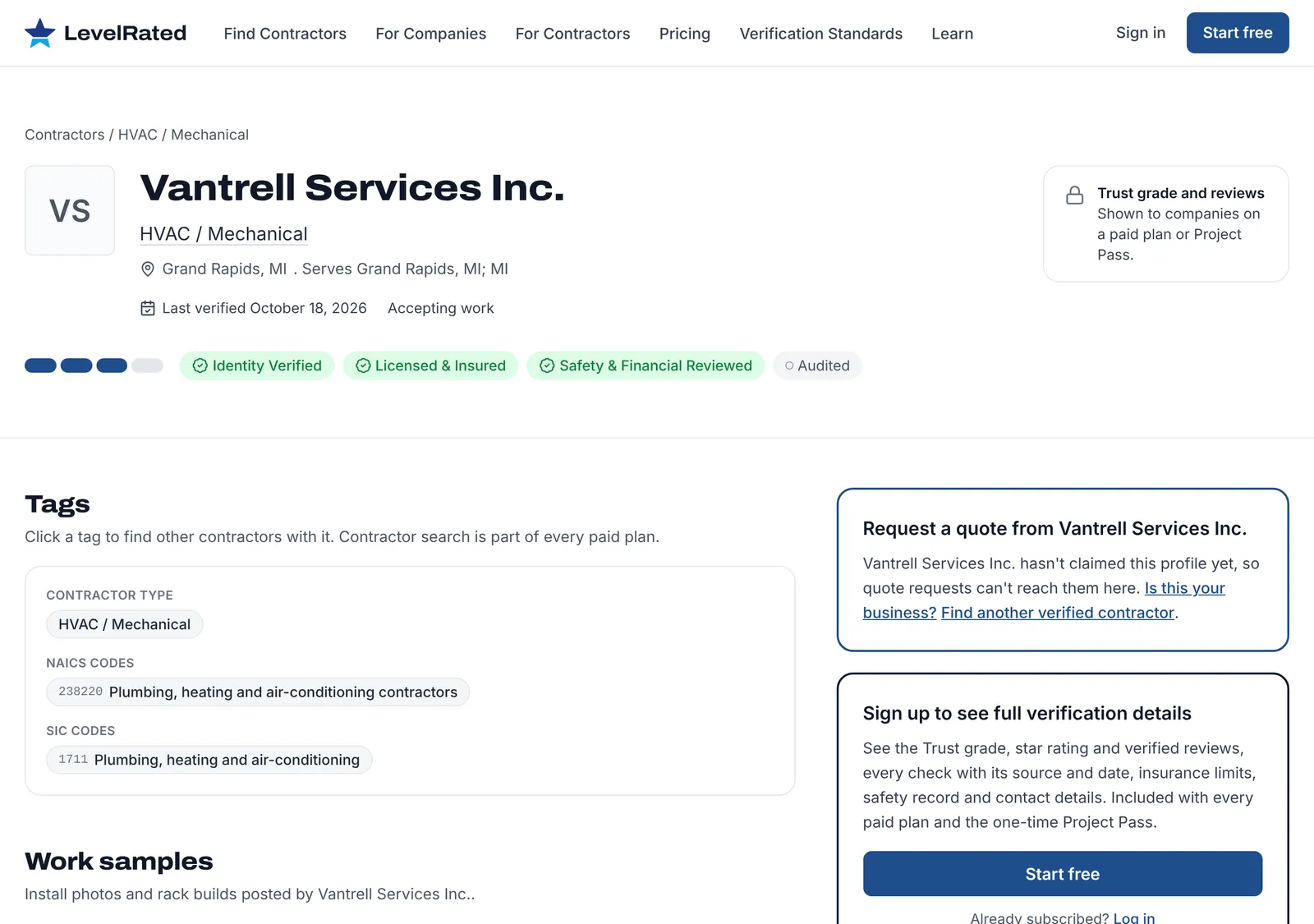
Verification and ratings
The checks behind every badge. Each one names its source and the date we last checked it.
What it costs: Free for contractors. Companies see the results with a paid plan. See pricing
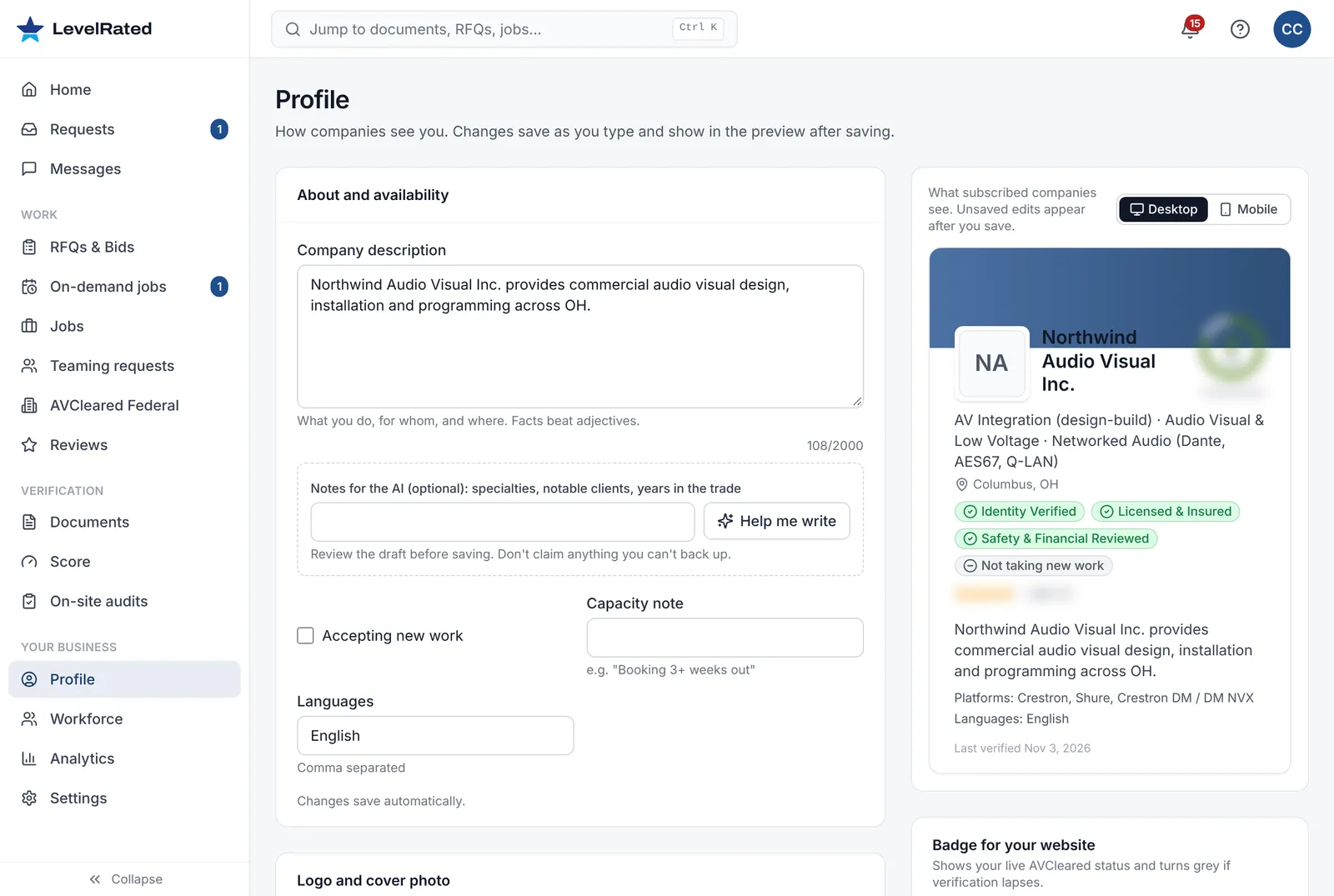
Four verification levels
Level 1 confirms the business is real. Level 2 adds licenses and insurance. Level 3 adds safety, finances and references. Level 4 is an on-site audit by a third-party auditor.
Learn moreBusiness checks
State registration, tax ID match, the signed W-9 and the owner's identity, checked against state and federal records.
License checks from state records
Trade licenses are checked against each state's own records and re-checked on a schedule, so a suspended or lapsed license shows up without anyone reporting it.
Learn moreInsurance tracking
General liability, workers' comp, auto, umbrella and professional policies with limits and expiry dates. Reminders go out before each one lapses, and a broker can upload renewals without an account.
Safety record
Injury rates compared with the industry average, the experience modification rate, OSHA citations from federal records and the written safety programs each trade needs.
Financial health and legal history
Business credit, years in business, liens, judgments and bonding capacity, reviewed by an analyst when anything is borderline.
Financial ratios and bonding room
Current ratio, working capital and debt to equity from the contractor's statements, their backlog against single and aggregate bonding limits, and how they compare with contractors their size.
Sanctions screening
Every business is screened against the Treasury sanctions list and SAM.gov exclusions, including aliases, and screened again as the lists change.
Worker certifications
Certificates held by named workers, with expiry dates, matched to the trade. Manufacturer and industry credentials are checked against the issuer where a public record exists.
Trust Score and letter grade
One 0 to 100 score from compliance, safety, finances, performance and responsiveness. The weights are published and nothing a contractor buys can change it.
Learn moreVerified reviews
Only companies that hired the contractor through a recorded job can review them. Contractors can respond, and both sides can dispute a review.
Contractors rate companies too
After a job, the contractor rates the company on payment, scope and communication, so good clients stand out as well.
On-site audits
A scheduled visit by an independent auditor with a standard checklist, photos and a written report. The Level 4 badge is valid for 24 months.
Learn moreBadges for websites and email
A live badge for a contractor's website, proposals and email signature. Anyone can click it to confirm the level today, and it changes on its own if verification lapses.
Learn moreYearly Client Choice award
Each January, every verified contractor whose clients rated the year's finished work at the top of the scale gets a dated award badge. The criteria are published and it can't be bought.
Learn moreBuilding permit history
Permits pulled in cities that publish them, matched to the contractor by license number, as a record of real work.
Published standards and disputes
Every check, its pass rule and how often it's repeated are public, and a contractor can dispute any result.
Learn more
For companies that hire
Find and compare contractors
Search by what the job needs, see the proof, and pick with confidence.
What it costs: Part of every paid company plan, from $99 a month, or a one-time $149 Project Pass for a single project. Limits vary by plan. Compare plans
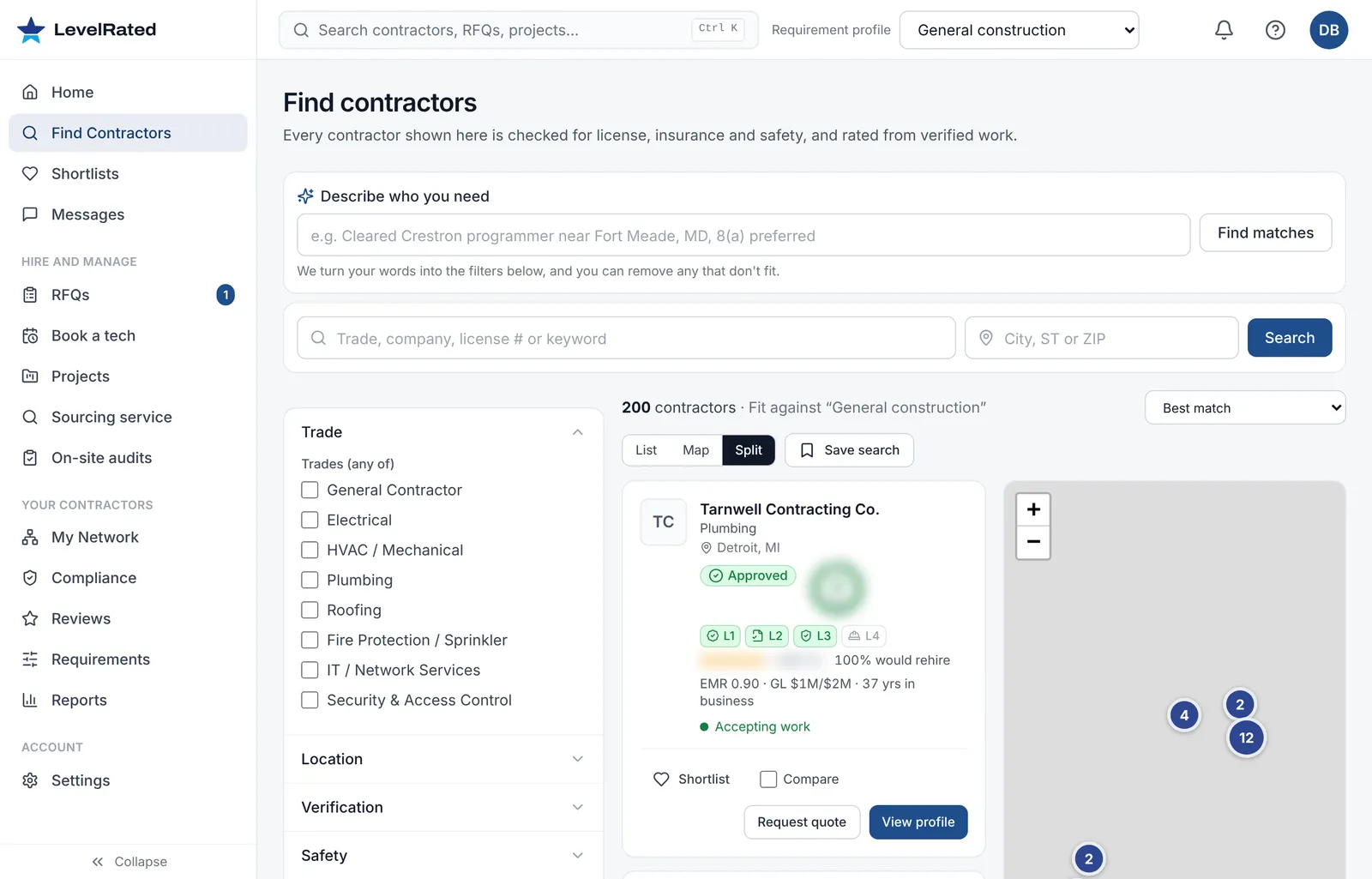
Search with real filters
Trade, distance, verification level, grade, insurance limits, safety rates, certifications, small-business status, clearances, union status and availability. Results show as a list or on a map.
Learn moreFull contractor profiles
Verification, safety, insurance, licenses, finances, reviews, projects, workforce and documents in one place, each fact with its source and date.
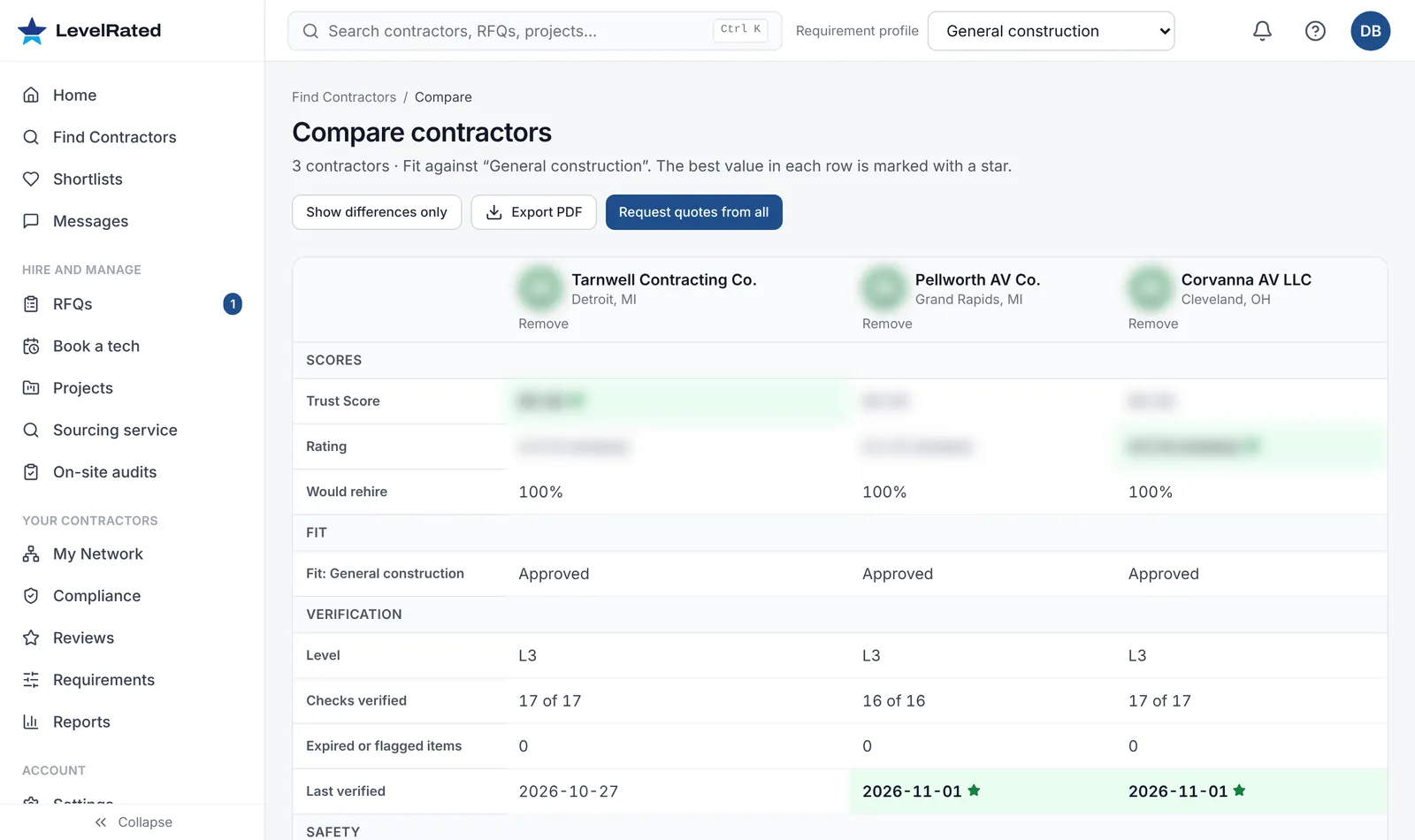
Compare side by side
Put up to four contractors next to each other on every measure that matters.
Shortlists and notes
Named lists you share with teammates, with private notes and your own scorecards for each contractor.
Photo gallery
Browse finished work from every contractor by what it shows, such as video walls, conference rooms or equipment racks, then open the business that built it.
Saved searches with alerts
Save a search and hear when a new contractor matches it.
Download documents
Insurance certificates and W-9s, ready for your vendor file, on plans that include downloads.
Profile as a PDF
A clean report of a contractor's verified record for your project file or a client.
Requests for quotes
Describe the job, attach drawings, invite specific contractors or everyone who qualifies, answer questions in one place and compare the bids in a leveling table.
Get quotes without searching
One short form, and we match the job to up to three verified contractors who reply to you directly.
Learn moreHome AV installers
For homeowners: verified installers with home-technology credentials, matched to the project.
Learn moreAV labor rate guide
Typical AV rates by role and region, so a quote can be judged against the market.
Learn moreCity and trade pages
A public list of contractors by trade and city, with a plain guide to what that trade should hold before you hire.
Learn moreWe find the firms for you
Tell us the job and the requirements and our team delivers a verified shortlist, with a written market research memo when you need one for the file.
Learn more
For companies that hire
Monitor the contractors you use
Once a contractor is in your network, we watch their paperwork so you don't have to.
What it costs: Part of every paid company plan, from $99 a month, or a one-time $149 Project Pass for a single project. Limits vary by plan. Compare plans
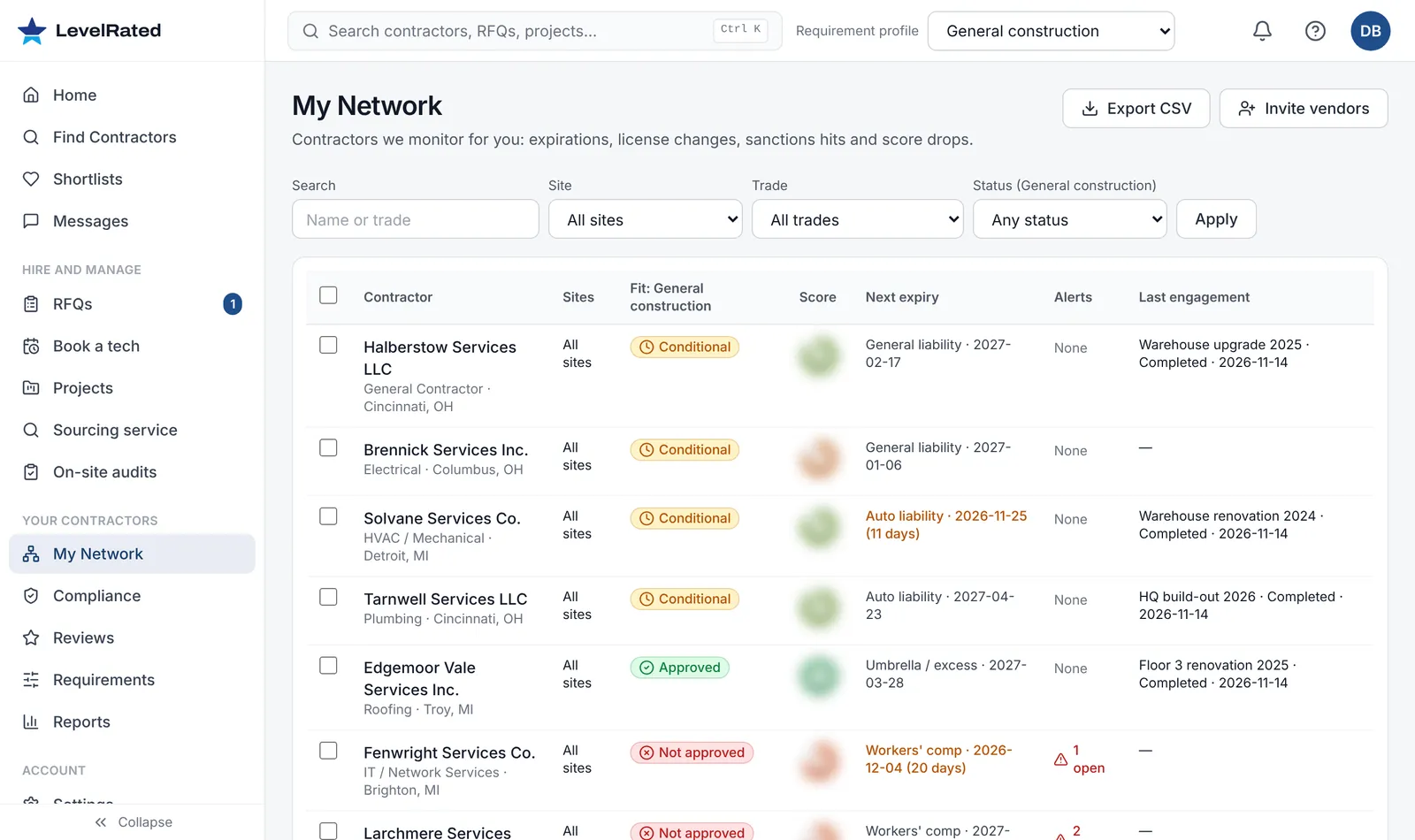
My Network
Add the contractors you work with and see who is approved, conditional, not approved or expiring soon, by site and trade.
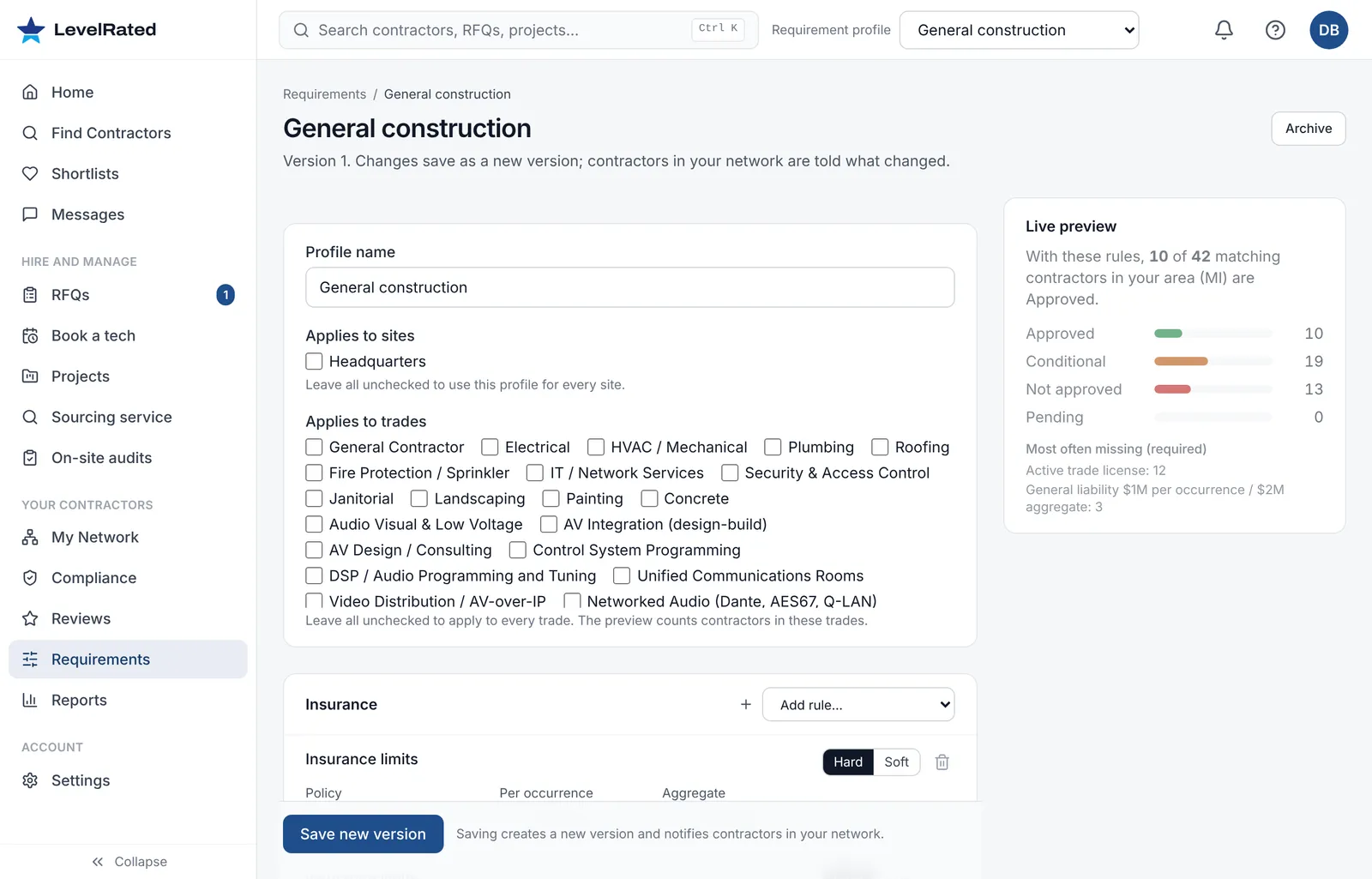
Your own requirements
Set your insurance minimums, safety limits and required documents once. Every contractor is scored against them, per site and per trade if you need.
Alerts when something changes
An expired policy, a license change, a sanctions match, a new citation or a falling score reaches you by email, in the app, by text, in Slack or Teams, or by webhook, depending on your plan.
Request a document in one click
The contractor gets a secure upload link and you see it as soon as it's verified. Certificates naming you as additional insured are handled the same way.
Invite your current vendors
Upload a list and each vendor is invited to join free. You track who has finished.
Private contractors
Keep invite-only contractors visible to your company alone.
Projects and engagements
A record of each job and each contractor on it, with the checklist for that job, incidents, corrective actions and the review at the end.
Agreements and e-signature
Send a master agreement, a scope of work or a change order and sign it on screen. Both sides keep the signed PDF.
Service plans
After an install, a contractor can offer a warranty, maintenance or support plan. Visits are scheduled, response times are tracked and both sides hear before it ends.
Certified payroll and lien waivers
For prevailing-wage and public work: weekly payroll reports in the federal format and signed lien waivers with each payment.
Reports
Compliance, expiring documents, spend, reviews and incidents. Download as a spreadsheet or PDF, or have them emailed on a schedule.
Savings so far
A running estimate of the hours your team has saved, with the assumptions shown.
Learn more
For companies that hire
Book a tech
Post a job for a day or a week and a verified technician takes it.
What it costs: No booking fee today: the company pays the technician directly. See pricing
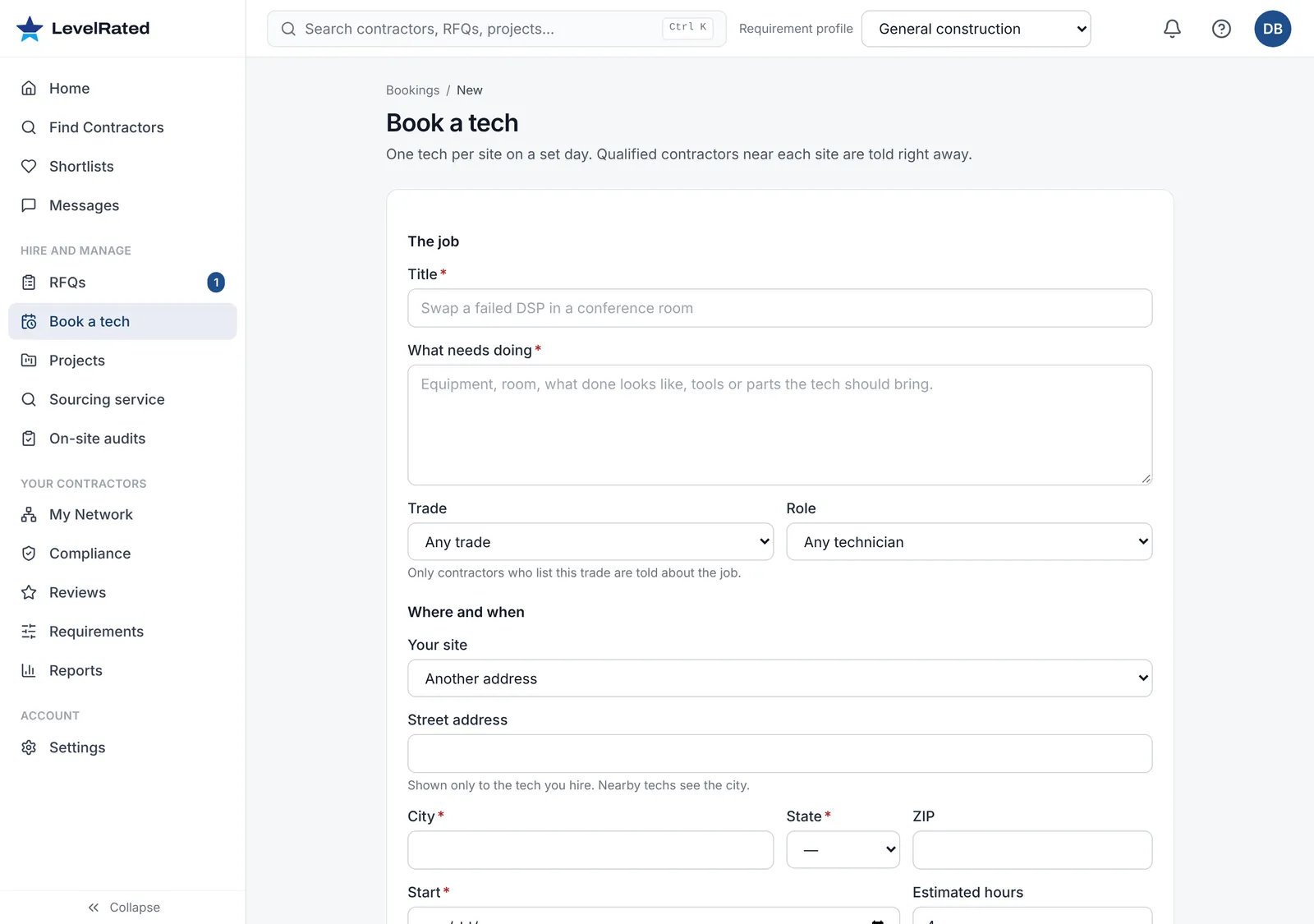
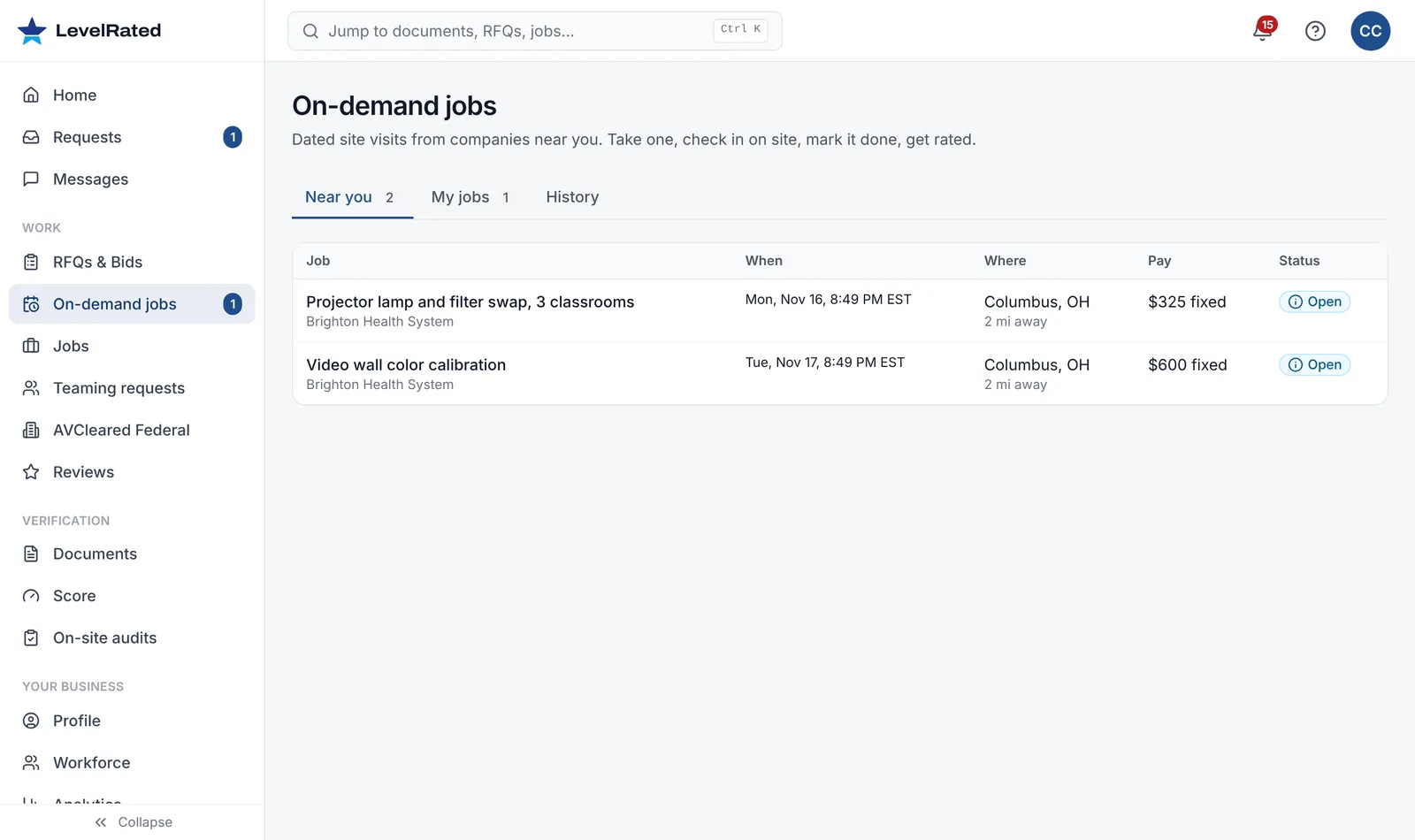
Post a job in minutes
Site, date, skills, pay by the hour or a fixed price. Verified technicians nearby see it and accept or propose a different rate.
Suggested pay rate
As you post, the form shows what companies have paid for the same role in your state, or nationwide, so you can price the job to fill.
Saved jobs and many sites at once
Save a job you post often, or post the same job at many sites in one go and pay for them together.
Crews
Ask for several technicians on one job. Each spot is filled by a different business.
Preferred technicians and a block list
Offer a job to the technicians on one of your shortlists first, then to everyone else. Block a business and it never sees your jobs.
Auto-dispatch
Offer a job to the best-matched technician alone, then the next, each with a set time to answer. You see the match score and who was offered it.
Travel and expenses
Set a limit, and the technician adds mileage and receipts to the job. You approve or decline each line, and approved lines are added to what the technician is paid.
Per diem for traveling techs
A technician based far from the job site gets per diem at the federal standard rate, paid with the job. The technician can turn it down.
Check-in, photos and sign-off
The technician checks in on site, uploads the photos you asked for and gets a signature from your contact before the job closes.
Change requests
Either side can ask to change the time, scope or pay, and nothing changes until the other side agrees.
Reliability score
Every technician carries a score from finished jobs, on-time arrivals and late cancellations, and they can appeal anything that's wrong.
Availability calendar
Technicians mark the days they can work and sync it with their own calendar, so jobs go to people who are free.
For contractors
Tools for contractors
Get verified once and use it everywhere. Contractors never pay to list, get verified or rank.
What it costs: Free for contractors. Companies see the results with a paid plan. See pricing
Claim your profile
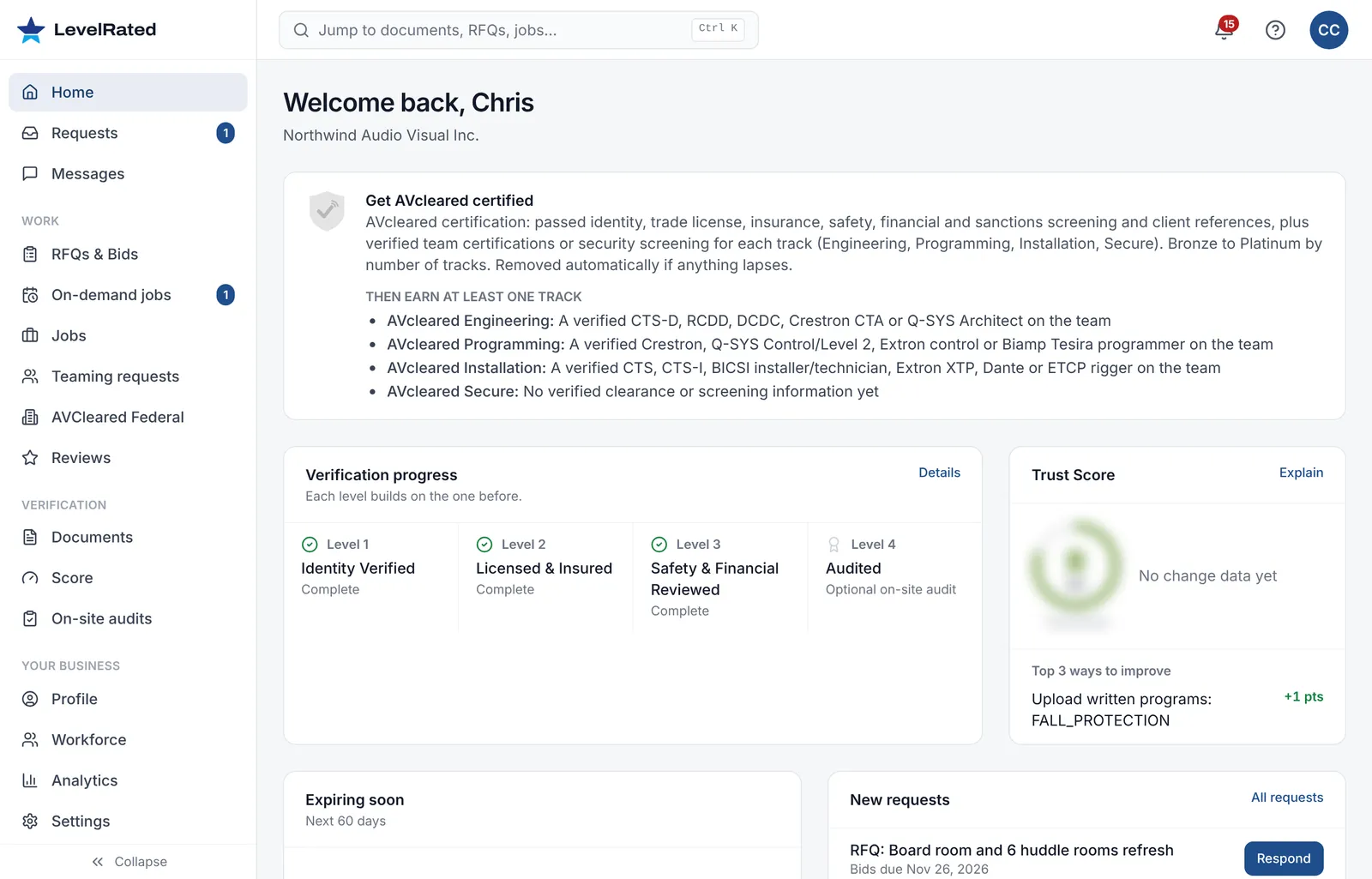
Many businesses are already listed from public records. Claim yours, correct it and add what the records don't show, or ask us to remove it.
Learn moreGuided setup
A step-by-step setup that fills in what public records already know and tells you exactly what's left.
Document vault
Every upload with its status, expiry date and who has viewed it. Files are scanned for viruses and encrypted.
Score page
Your Trust Score with the reasons behind it and the specific steps that would raise it.
Logo, cover photo and portfolio
Your branding, project photos, work samples and references on your profile.
Workforce
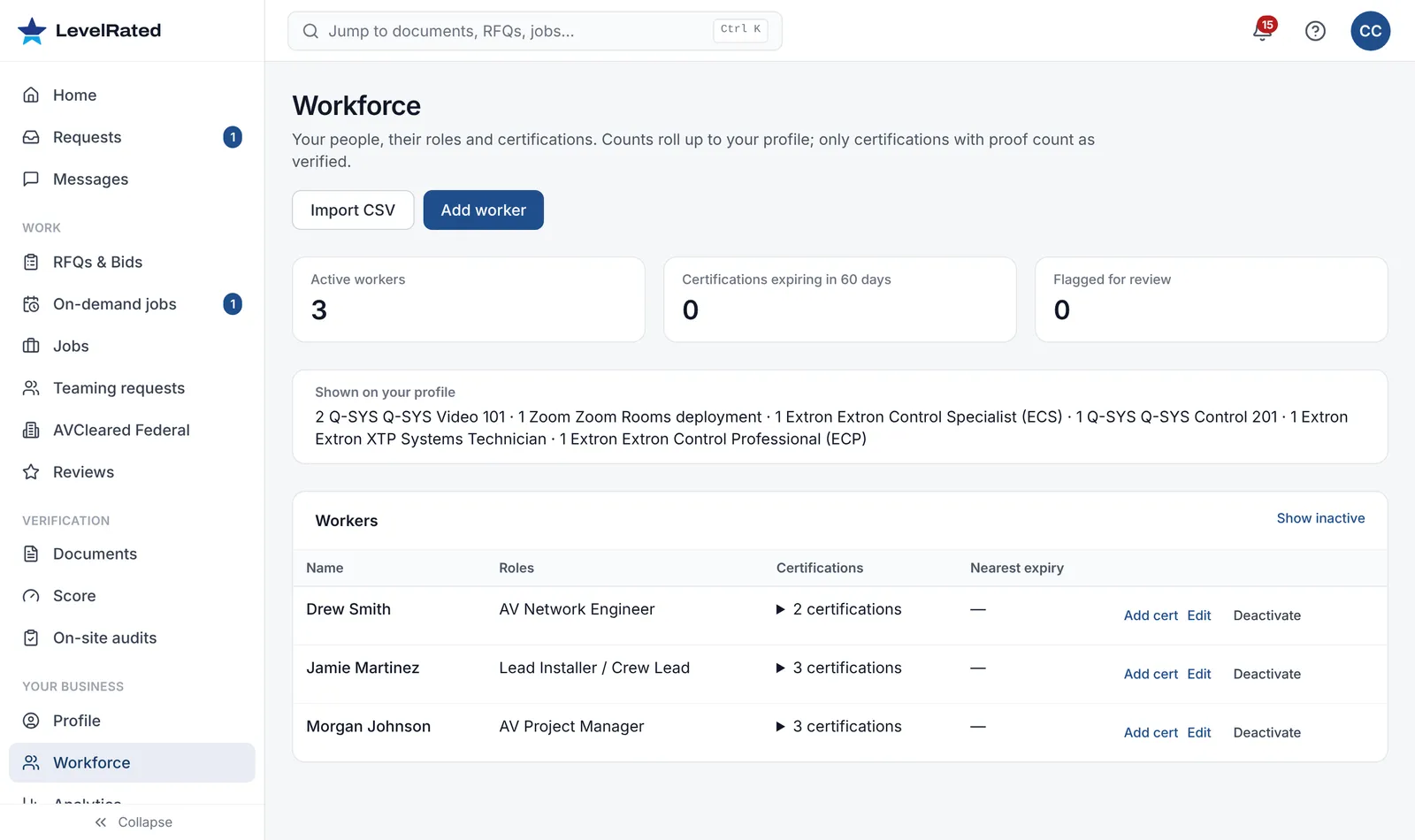
Your people, their roles and certificates with expiry reminders. Job history sits next to each certificate.
Worker ID cards and site check-in
A card for each worker's phone with their photo, your company and their verified certificates. A site contact scans the code to see if the worker is cleared today and checks them in.
Requests inbox
Quote invitations, document requests, reviews and audit requests in one list, with reply by email.
Messages
Threads with companies tied to the quote or job they're about. Your phone and email stay private until you choose to share them.
Updates and offers
Post a finished project, a new certification or an offer with an end date. Companies on a paid plan see it on your profile.
Analytics
Profile views, search appearances, shortlist adds, quote invitations and your win rate.
Badges
Your level badge for your website, proposals and email signature.
Learn moreClient Choice award
See where you stand against the yearly award's criteria all year. Earn it and you get a dated badge for your website and email signature.
Learn moreOn-demand jobs and payouts
Take day jobs from companies near you, with your pay and any fee shown before you accept.
Teaming requests from primes
Opt in and federal primes can ask you about specific bids. You answer each one, and your contact is shared only when you say you're interested.
Government quote requests
Answer sealed quote requests and sources-sought notices from verified government buyers, free.
Government-ready score and demand
See how ready your business looks to a government buyer, and how often buyers search for what you do in your area.
Small-business certifications on your profile
8(a), HUBZone, woman-owned, veteran-owned and state certifications are checked against SAM.gov and shown on your profile.
For federal bidders
Federal bids and capture
Every federal notice, who you're up against and a pipeline for your team, in the account you already have.
What it costs: LevelRated Federal add-on: $199 a month or $1,990 a year with 2 seats, on any account. Included with Enterprise. See the add-on price
Every open federal notice
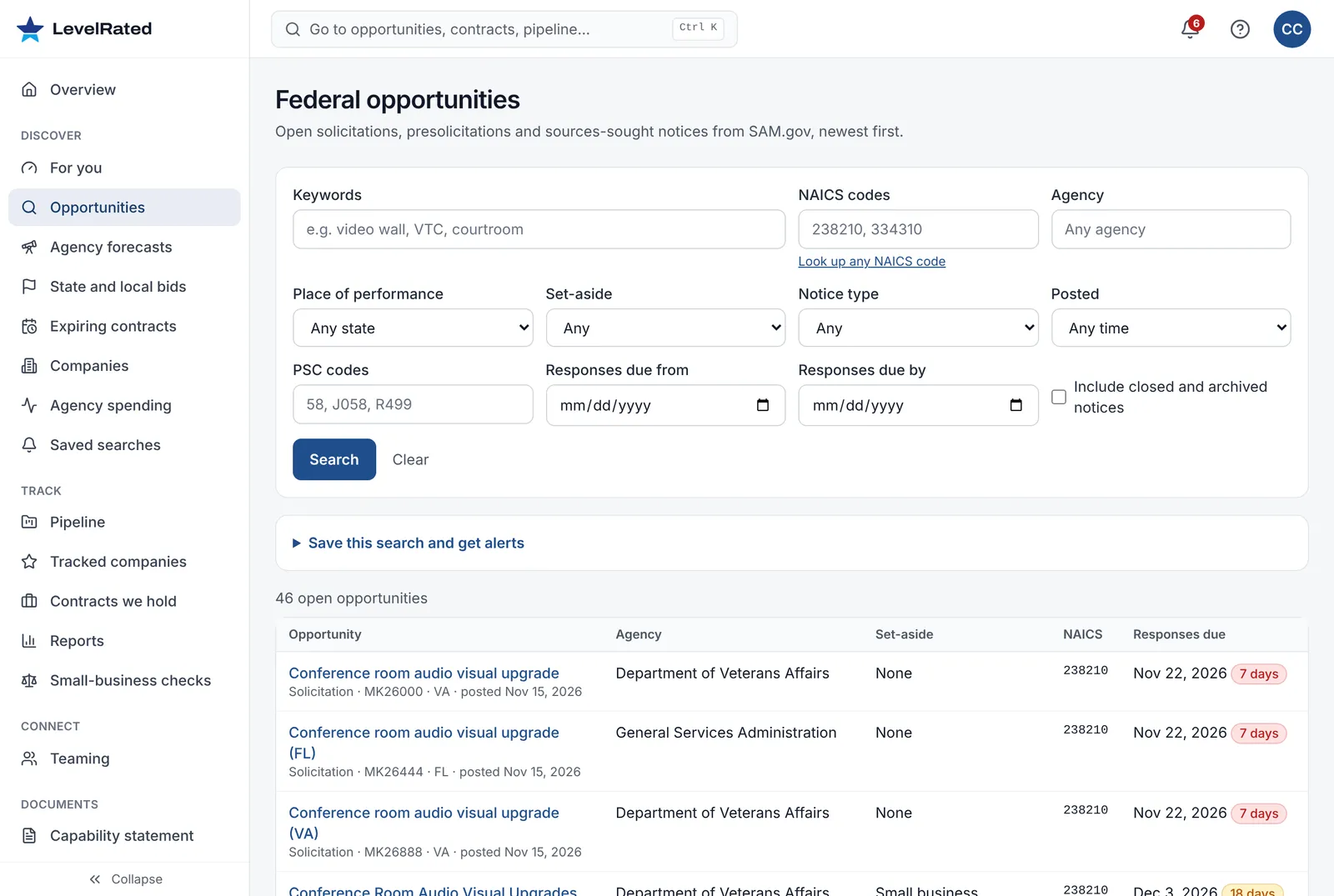
Solicitations, presolicitations and sources-sought notices from SAM.gov, refreshed daily and searchable by keyword, code, agency, set-aside, state and due date, with the full text of each notice.
Learn moreDaily matches with a fit score
Notices that fit your codes, your certifications and the agencies you've won at, each scored 0 to 100 with the reasons.
Recompete radar
Federal contracts and contract vehicles ending in the next 6 to 18 months (or any window up to 3 years), totaled by code, agency and current holder, with alerts and one click into your pipeline. That's where recompetes begin.
State and local bids
Open bids from state and city sources alongside the federal ones.
Agency forecasts
What agencies say they plan to buy, before a notice is posted.
Defense parts quotes
Open quote requests from the Defense Logistics Agency, matched to the product codes you sell.
Government contacts
The contracting officers behind federal notices: their office, what they buy and every notice they posted.
Small business research awards
Open SBIR and STTR topics, past awards and the companies that won them.
Federal grants
Every open grant opportunity from Grants.gov, with who can apply, award sizes, saved searches and alerts.
Competitors and incumbents
On every opportunity: who holds the work now, who has won the most similar awards and who already works for that agency.
Every registered company
Search every active SAM.gov registration by code, state and small-business status, with a full federal profile for each company.
Agency spending
Five years of spending by agency for your codes, with the trend.
Primes that need small subs
Large contractors with subcontracting plans in your codes, and the subcontracts they've reported.
Contract vehicles and labor rates
Who holds which vehicles, and government ceiling rates by labor category to price against.
Bid protests
Protest decisions on an agency or a competitor before you bid.
Capture pipeline
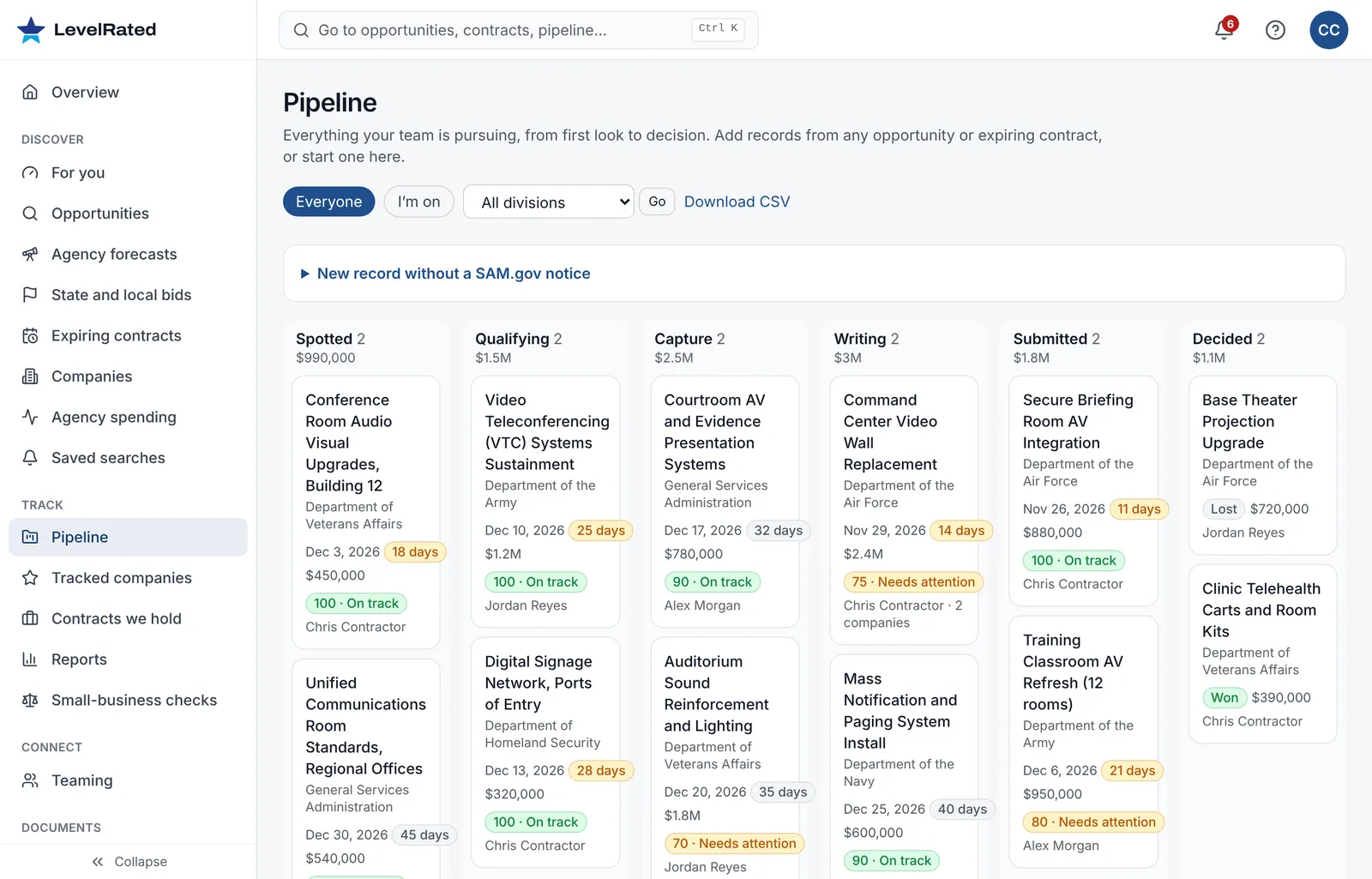
Six stages from first look to decision, with owners, tasks, files, a health score and records that update themselves when a notice changes.
Proposal workspace
Pull every instruction, evaluation factor and requirement out of a solicitation into a compliance matrix, assign writers and page limits, and run color-team reviews. Download it as a spreadsheet or Word file.
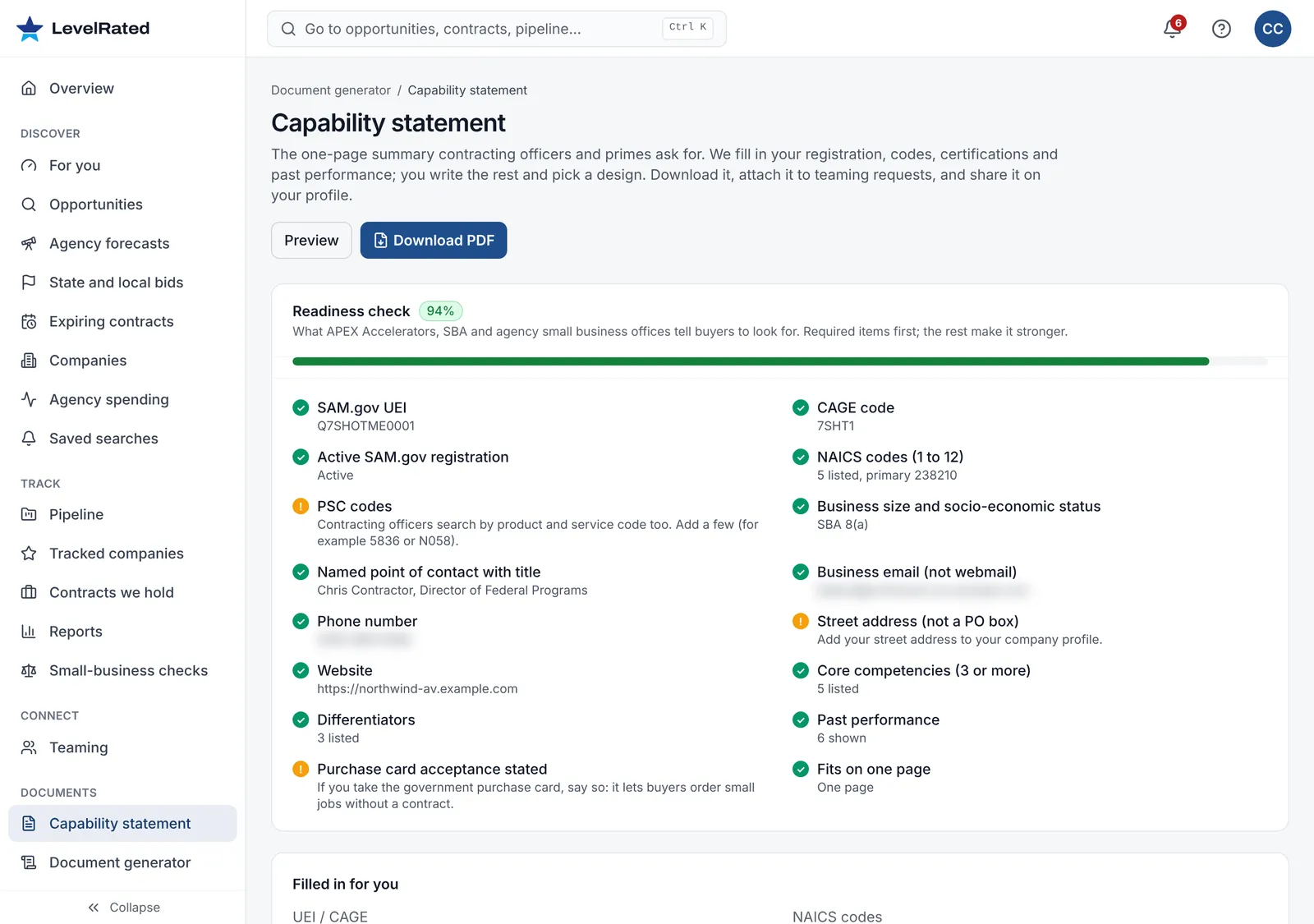
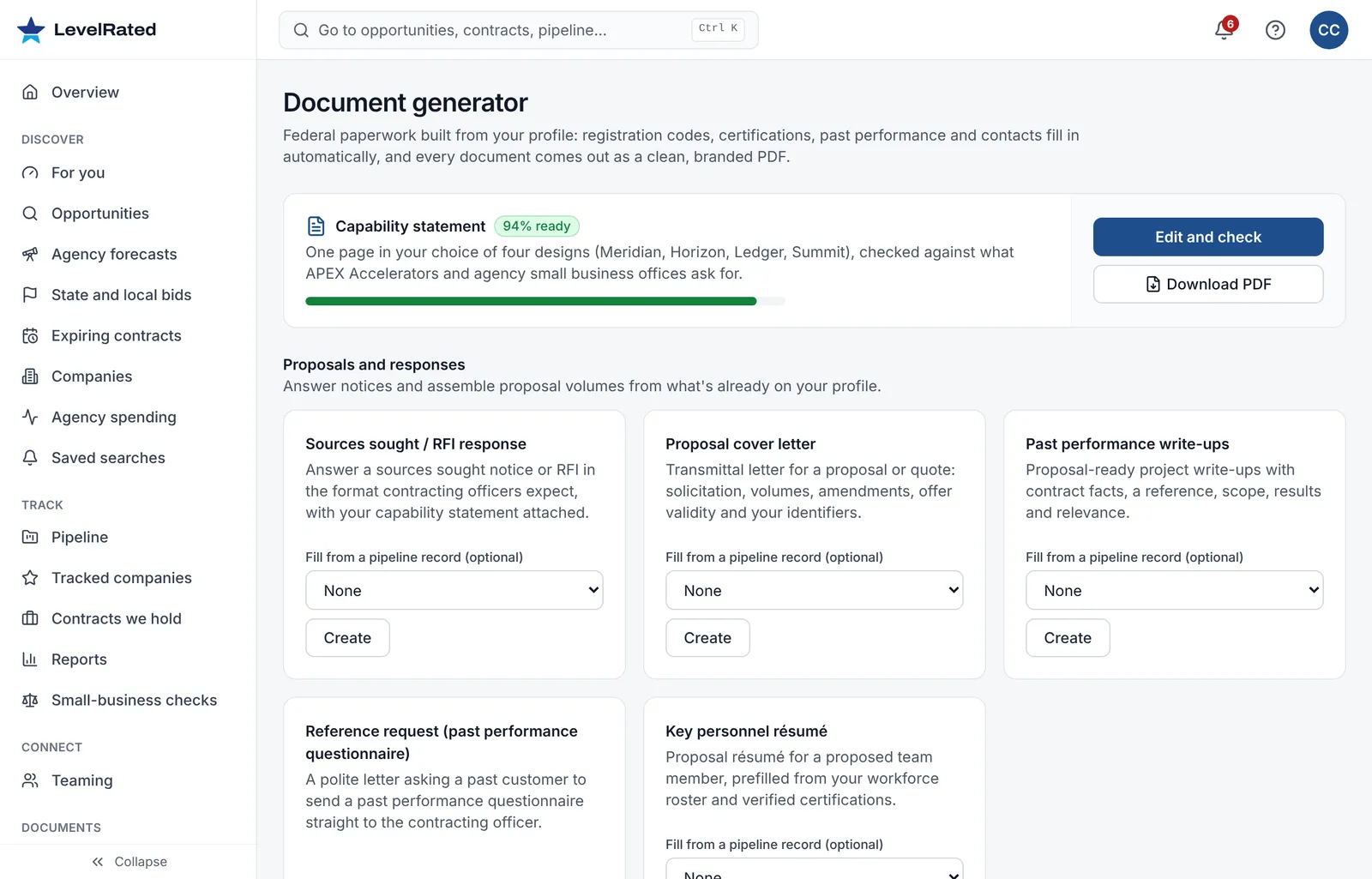
Document generator
Capability statements in four designs, a readiness check and the standard documents a federal bidder needs, built from your profile.
Teaming
Suggested teammates on every opportunity, teaming requests to firms that opted in, and a teaming page you can share from your own email.
After the award
Contracts you hold with option years, performance review dates and recompete reminders, plus a past-performance library for the next proposal.
Size and subcontracting checks
SBA's size standard for each opportunity against your registration, and a calculator for the limits on subcontracting.
Registration reminders
Reminders before your SAM.gov registration expires.
Reports and CRM connections
Pipeline value, win rate and activity by division, with connections to HubSpot, Salesforce and Zapier.
For federal bidders
8(a), HUBZone, veteran and woman-owned certification
A guided workspace that prepares your SBA application, fills in what we already know and keeps you certified afterwards. Included with the Federal add-on.
What it costs: LevelRated Federal add-on: $199 a month or $1,990 a year with 2 seats, on any account. Included with Enterprise. See the add-on price
Free eligibility check
Answer a few questions and see where you stand for each program under SBA's current rules. Nothing is saved and no account is needed.
Learn moreRule-by-rule eligibility
Ownership, control, size, net worth, income and assets checked against the regulation, with the citation for each rule and what to fix when one fails.
Answers filled in for you
Your profile, your SAM.gov registration and your owner's account fill in the application answers we already know.
HUBZone map checks
Your principal office and each employee's home address checked against SBA's HUBZone map, with the 35% residency math done for you.
Employee roster
Add employees one at a time or paste from a spreadsheet. Home addresses are encrypted.
HUBZone hiring planner
See how a planned hire or departure changes your residency percentage before it happens.
Personal financial statement
SBA Form 413 for each owner, saved encrypted, feeding the net worth and income checks.
Document checklist
Exactly which documents your application needs, with uploads scanned, encrypted and checked for the dates SBA requires.
Generated documents
The 8(a) social disadvantage worksheet and business plan, written from your answers for you to review and sign.
Filing package
One download with every file named and ordered, and a step-by-step filing guide.
Browser helper
A browser extension that fills SBA's application pages from your workspace while you're signed in. It never signs, attests or submits for you.
Application tracker
Record when you file and each SBA request for information. Forward SBA's emails to a private address and they land on your timeline, with reminders before every deadline.
Stay certified
Reminders for annual reviews and recertification, a monthly HUBZone residency check, and the yearly 8(a) review pack.
What it doesn't do
SBA requires the owner to sign in and attest in person, so you file the application yourself. We prepare everything up to that step.
For government buyers
For government buyers
A separate site for federal, state and local staff to find vetted firms and document the search. Free for verified government email addresses.
What it costs: Free for verified government email addresses.
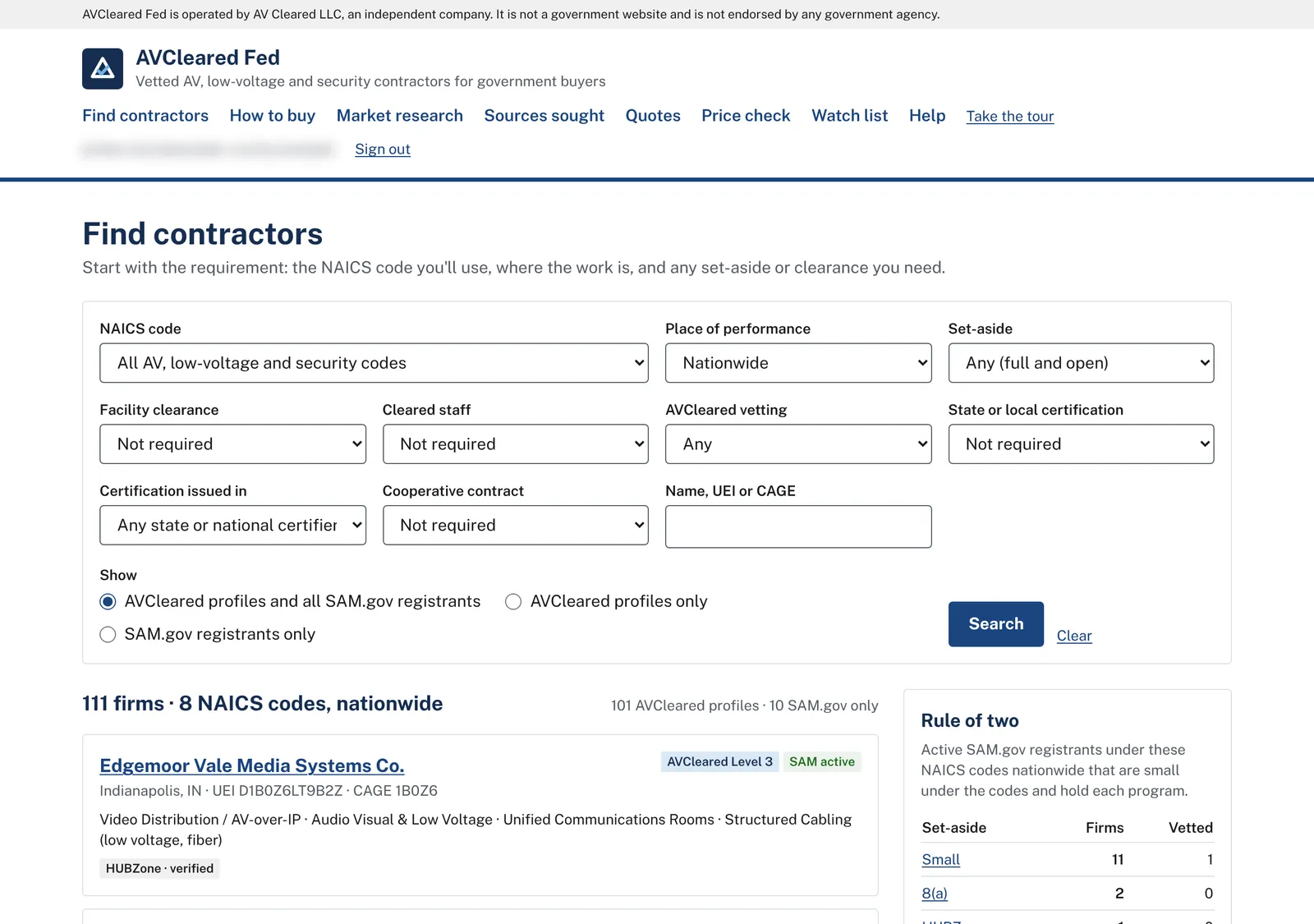
Requirement-first search
Search by what you're buying, the set-aside and the place of performance, with a live count of qualified small businesses.
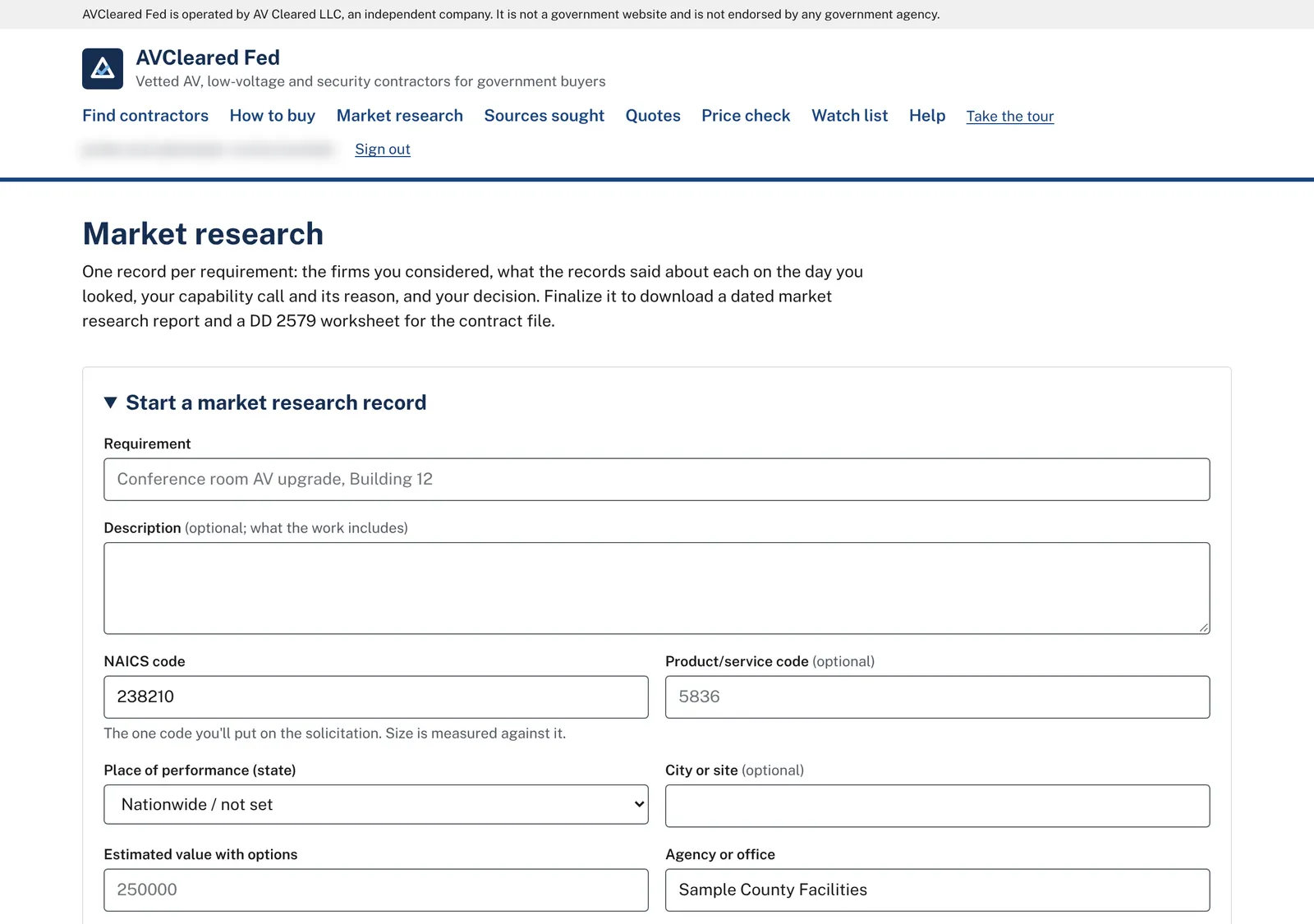
Market research records
Save a search as a dated record with the firms found, and download the report and small-business coordination worksheet for the contract file.
How do I buy this?
A plain guide to the thresholds and methods that apply to a purchase of a given size.
Quote room
Ask several vetted firms for sealed quotes and download the abstract when they're due.
Sources sought
Draft a sources-sought notice, invite firms and collect structured answers.
Price check
Past federal award prices for similar work, with a memo for the file.
Watch list
Follow firms and get a digest when their certifications or registrations change.
For everyone
Integrations, API and security
Connect the tools you already use and keep your data under your control.
What it costs: Sign-in options, notifications, help and your data controls are part of every account. The API, webhooks and CRM connections come with Enterprise or with the Federal add-on. Single sign-on comes with Enterprise. Compare plans
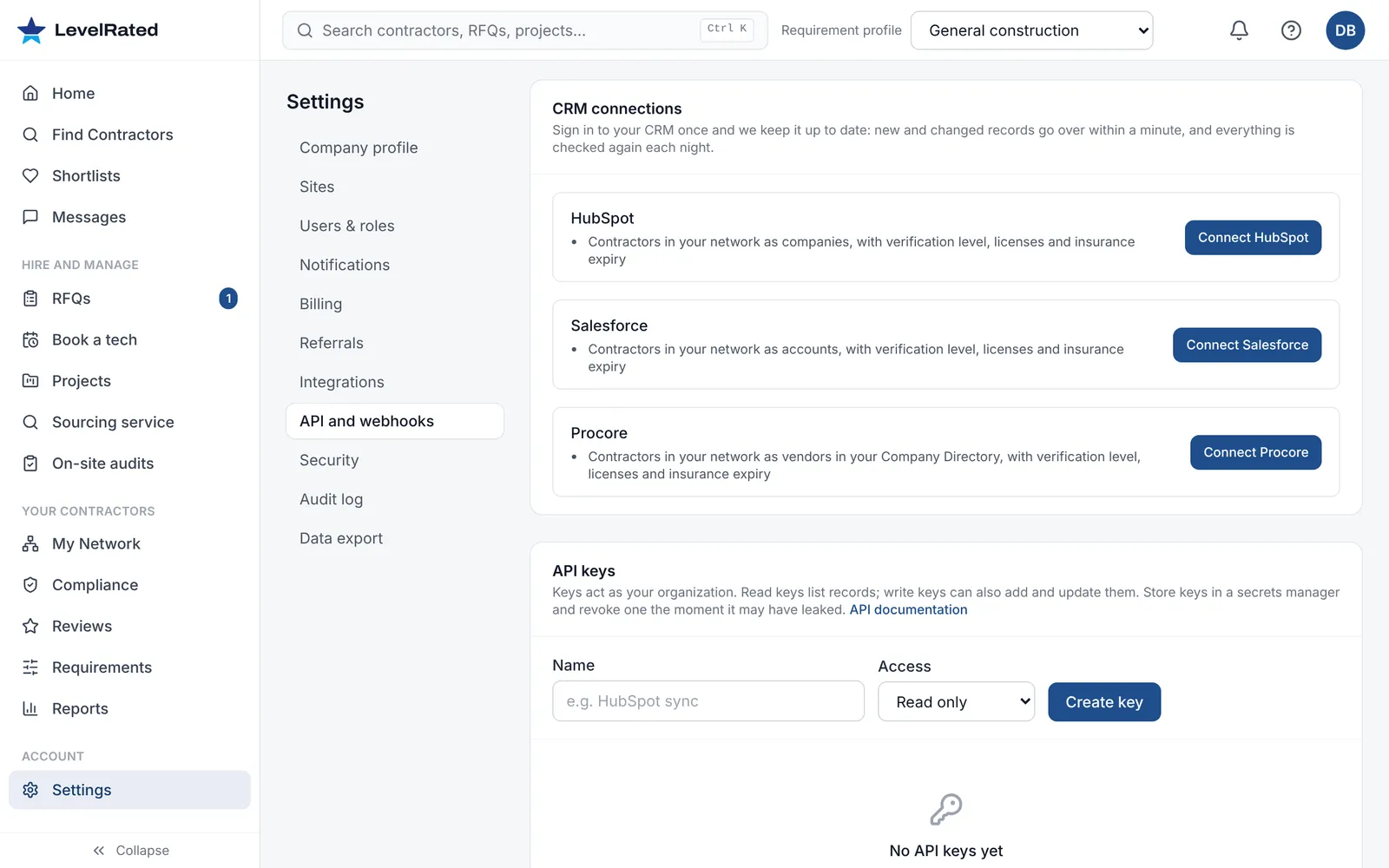
CRM and project tools
HubSpot, Salesforce, Zapier and Procore connections keep your vendor list and compliance status in step.
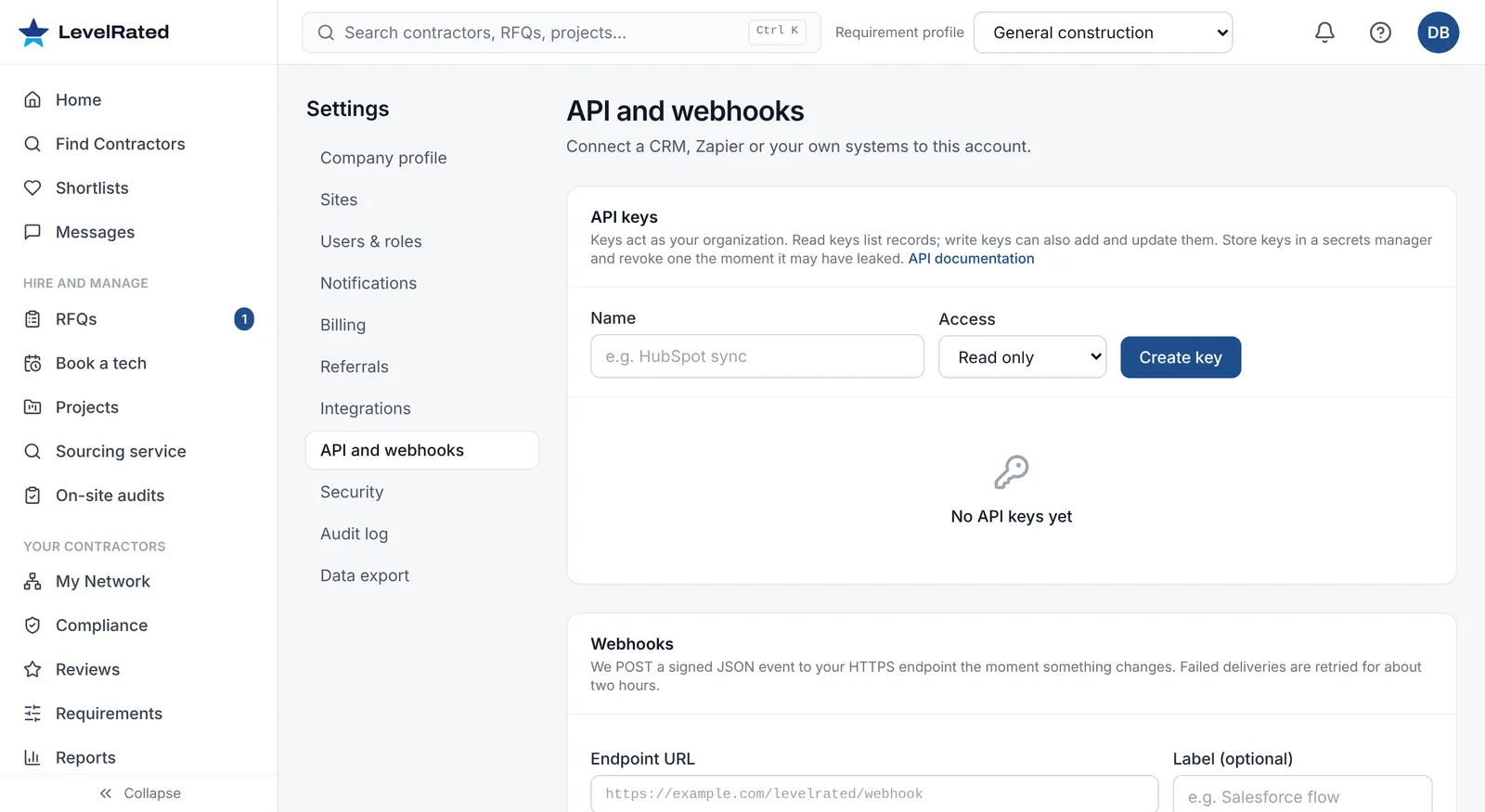
Learn moreAPI and webhooks
A documented API with keys you manage and signed webhooks for every important change.
Learn moreSlack and Microsoft Teams
Compliance alerts in the channel your team already reads.
Single sign-on
SAML sign-on for Enterprise, plus sign-in with Google, Microsoft, Apple and other accounts for everyone.
Two-step sign-in and device list
Authenticator-app codes, a list of signed-in devices and an audit log of what your team did.
Passkey sign-in
Sign in with your fingerprint, face or device PIN instead of a password. A passkey counts as two-step verification.
Roles and seats
Owner, admin, manager, member and viewer roles, with invitations and ownership transfer.
Your data, on request
Download everything in your account, or delete the account and its data.
Learn moreEncrypted files and screening
Uploads are scanned for viruses and encrypted, and sensitive fields such as tax IDs are encrypted separately.
Learn moreNotifications your way
Choose email, in-app, text or desktop alerts for each kind of event, and unsubscribe from any email in one click.
Help when you need it
A help center, a chat on every page, a guided tour for new accounts and a public status page.
Learn moreKnowledge center and expert answers
Hiring guides, certification explainers and public-sector rules, written for buyers and contractors.
Learn more
Screenshots use invented sample companies. Trust grades, star ratings, review counts and contact details are blurred here; they show in full on paid plans.
Looking for AV technician training and certificates? They live on our AV site. See AVCleared Training.
Ready to see it with your own contractors?
Every price is published. Contractors join free, and companies can start with one project.